HarmonyOS Java UI之TableLayout布局示例
 宋你一朵小红花 2020-11-23 10:00:00 发布
3427 浏览 17 点赞 20 收藏
TableLayout简介
TableLayout意为表格布局,也可以称为网格布局,允许我们使用表格的方式来排列组件,也就是行和列的方式。
TableLayout提供了用于在表格中对齐和排列组件的接口。可配置表格的排列方式,行数和列数,以及组件的位置。
常用属性
| XML属性名称 | Java 属性方法 | 描述 |
| alignment_type | setAlignmentType | 设置网格布局中的对齐方式。 |
| row_count | setRowCount | 设置网格布局中的行数 |
| column_count | setColumnCount | 设置网格布局中的列数 |
| orientation | setOrientation | 设置网格布局方向 |
ohos:alignment_type表示设置网格布局中的对齐方式,默认为align_contents(表示页边距对齐),还有一个参数是align_edges(表示边界对齐)。
<TableLayout
    xmlns:ohos="http://schemas.huawei.com/res/ohos"
    ohos:id="$+id:tableLayout"
    ohos:height="match_parent"
    ohos:width="match_parent"
    <!--这里参数可以为align_contents或者align_edges-->
    ohos:alignment_type="align_contents"
    ohos:background_element="#8AA7AA">
</TableLayout>
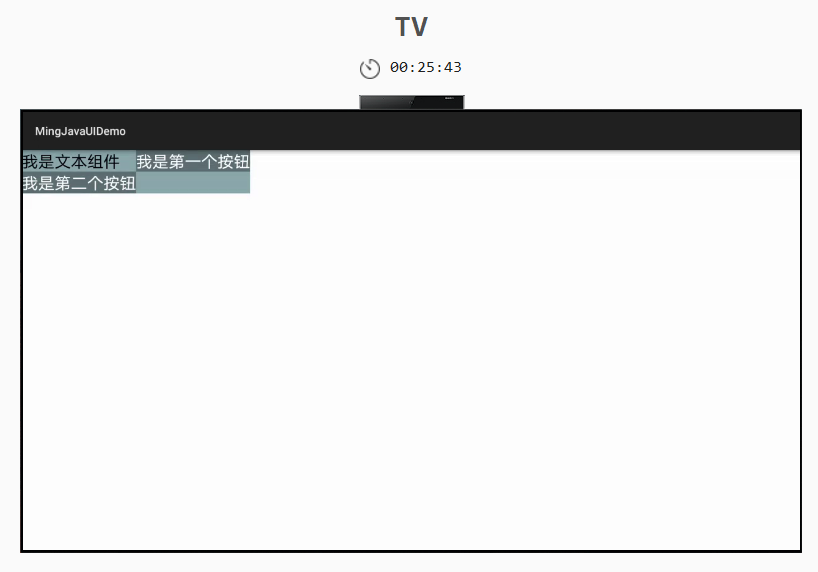
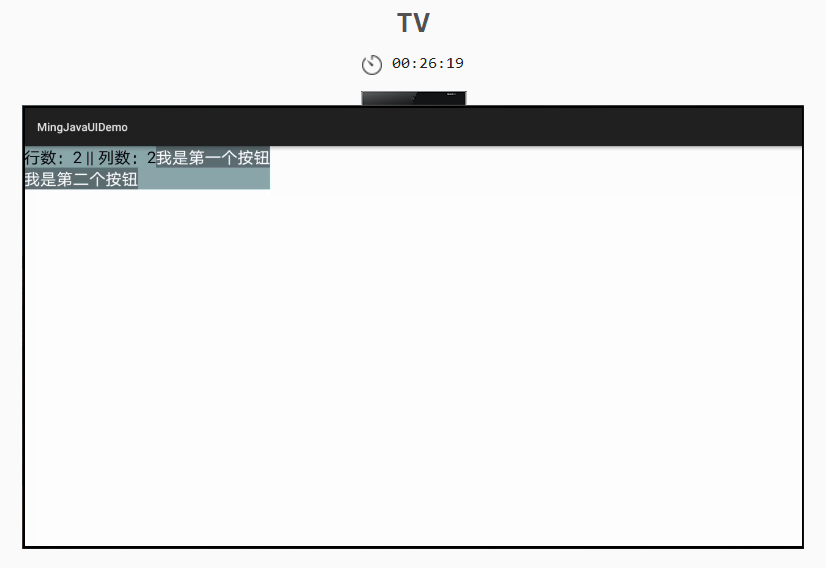
复制ohos:row_count表示设置网格布局中行数,ohos:column_count表示设置网格布局中的列数。如果没有为子组件设置值,则使用父组件默认的行数和列数。在网格布局中若子组件的数量超出列数设置,则会自动添加行数。比如下列代码,我们设置一行,两列,但是是三个子组件,我们监听其中一个按钮的点击事件,将行列数显示在文本组件中。
<?xml version="1.0" encoding="utf-8"?>
<TableLayout
    xmlns:ohos="http://schemas.huawei.com/res/ohos"
    ohos:id="$+id:tableLayout"
    ohos:height="match_content"
    ohos:width="match_content"
    ohos:row_count="1"
    ohos:column_count="2"
    ohos:background_element="#8AA7AA">

    <Text
        ohos:id="$+id:tableTxt"
        ohos:height="match_content"
        ohos:width="match_content"
        ohos:text="我是文本组件"
        ohos:text_size="20fp"/>

    <Button
        ohos:id="$+id:button"
        ohos:height="match_content"
        ohos:width="match_content"
        ohos:text="我是第一个按钮"
        ohos:background_element="#5C6E71"
        ohos:text_color="#FFFFFF"
        ohos:text_size="20fp"/>
    <Button
        ohos:id="$+id:btn"
        ohos:height="match_content"
        ohos:width="match_content"
        ohos:text="我是第二个按钮"
        ohos:background_element="#5C6E71"
        ohos:text_color="#FFFFFF"
        ohos:text_size="20fp"/>
</TableLayout>
复制
未触发按钮点击事件的时候页面显示效果。
触发按钮点击事件的时候页面显示效果。
 ohos:orientation表示设置表格中组件的排列方式,水平(vertical)和垂直(horizontal)。如果我们设置行为1,列为2,子组件三个,设置水平方向显示,那么我们的列将失效,自动会添加一列。
<!--表格内组件垂直显示,也可以理解为一列多行-->
<TableLayout
    xmlns:ohos="http://schemas.huawei.com/res/ohos"
    ohos:id="$+id:tableLayout"
    ohos:height="match_parent"
    ohos:width="match_parent"
    ohos:orientation="horizontal"
    ohos:background_element="#8AA7AA">
</TableLayout>
复制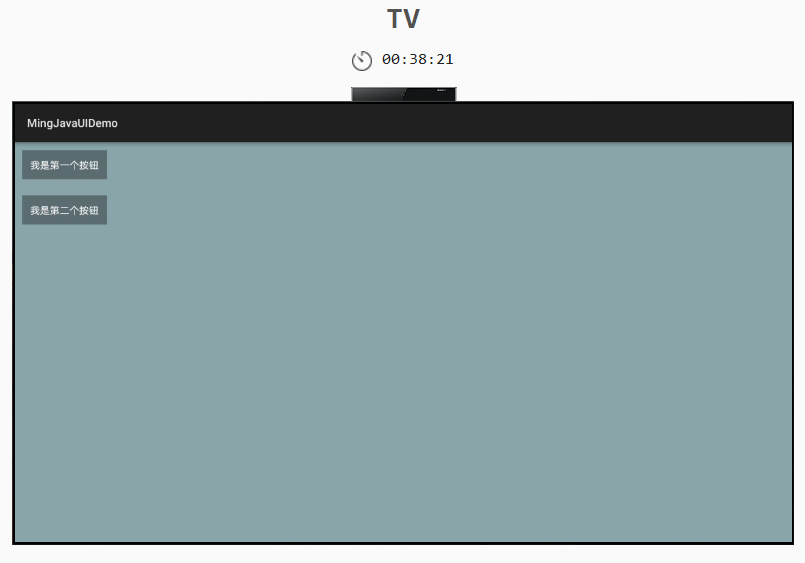
<!--表格内组件水平显示,可以理解为一行多列-->
<TableLayout
xmlns:ohos="http://schemas.huawei.com/res/ohos"
ohos:id="$+id:tableLayout"
ohos:height="match_parent"
ohos:width="match_parent"
ohos:orientation="vertical"
ohos:background_element="#8AA7AA">
</TableLayout>
复制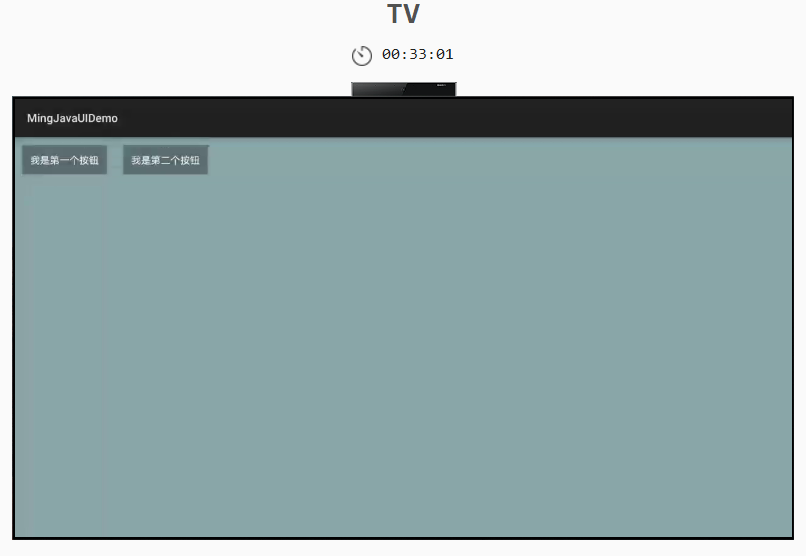 示例
示例
<?xml version="1.0" encoding="utf-8"?>
<TableLayout
    xmlns:ohos="http://schemas.huawei.com/res/ohos"
    ohos:id="$+id:tableLayout"
    ohos:height="match_parent"
    ohos:width="match_parent"
    ohos:row_count="3"
    ohos:column_count="5"
    ohos:background_element="#8AA7AA">

    <Button
        ohos:height="match_content"
        ohos:width="match_content"
        ohos:text="我是第1个按钮"
        ohos:background_element="#07CCFF"
        ohos:text_color="#FFFFFF"
        ohos:text_size="20fp"
        ohos:padding="10vp"/>
    .....
</TableLayout>
复制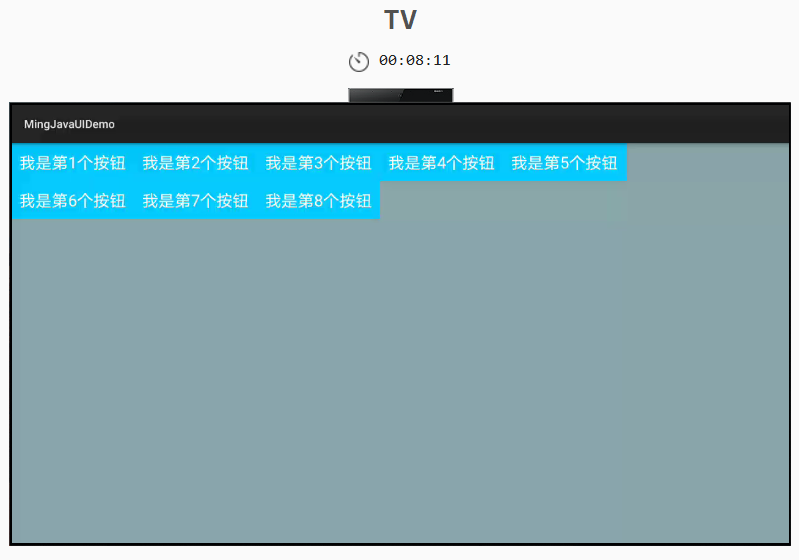
©本站发布的所有内容,包括但不限于文字、图片、音频、视频、图表、标志、标识、广告、商标、商号、域名、软件、程序等,除特别标明外,均来源于网络或用户投稿,版权归原作者或原出处所有。我们致力于保护原作者版权,若涉及版权问题,请及时联系我们进行处理。
分类
其它
标签
HarmonyOS Java UI
TableLayout
相关推荐
【划重点】HarmonyOS 应用市场审核 3.5 驳回“十大高频问题”全解析
 鸿蒙小助手
鸿蒙小助手 1889
1889 0
0在 HarmonyOS 中,如果用户拒绝了应用的某个权限请求,应用中要如何处理?
鸿蒙小助手 7676 0同样使用@State装饰器,有时第三层数据可以更新UI,有时不可以,是什么原因?
鸿蒙小助手 5331 0使用 @Builder数据刷新后UI没有刷新,导致图片错乱怎么解决?
鸿蒙小助手 7381 0 宋你一朵小红花
我还没有写个人简介......
881
帖子
0
提问
1
粉丝
最新发布
华为鸿蒙 HarmonyOS 6.0.0.108 SP2 Developer 版本新增 9 套桌面图标
2025-10-20 23:17:16 发布注意!华为开启鸿蒙6.0系统推送,稳定性提升
2025-10-14 15:10:36 发布热门推荐