鸿蒙应用开发图片编辑器练习与分享
 Tiechui.Wang 2021-04-14 09:00:00 发布
3138 浏览 25 点赞 12 收藏
显示效果:
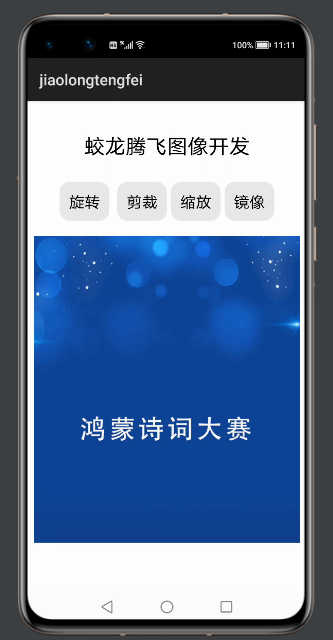
点击“旋转”
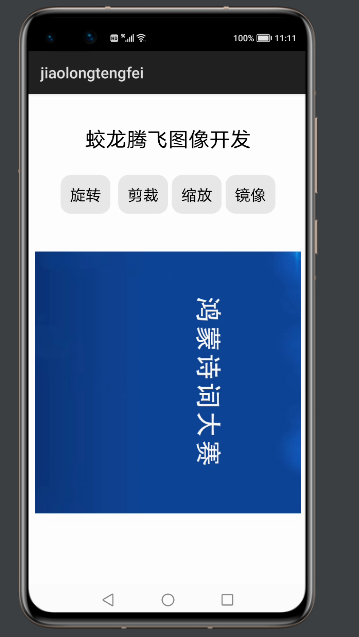
点击“剪裁”
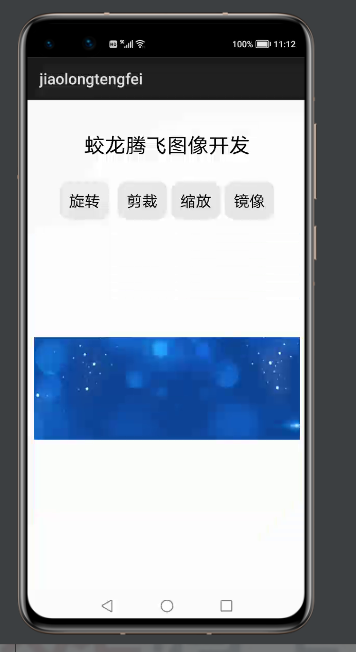
点击“缩放”
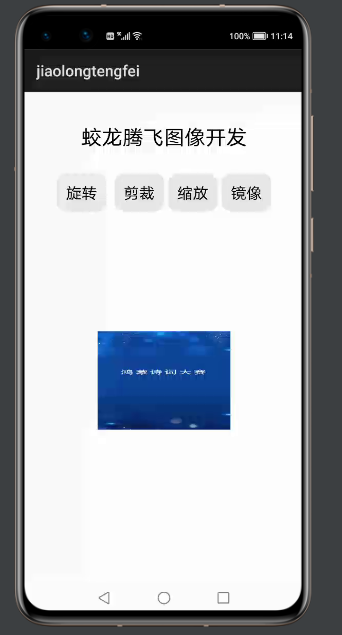
点击“镜像”
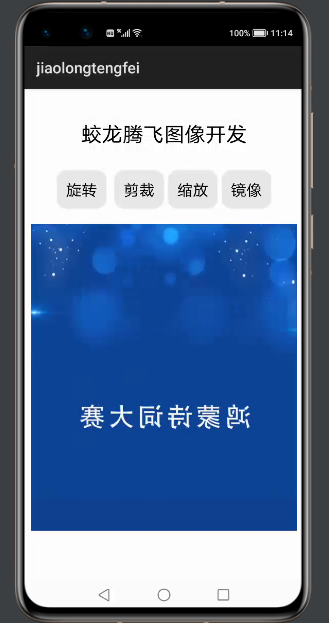
布局中的代码
<?xml version="1.0" encoding="utf-8"?>
<DirectionalLayout
    xmlns:ohos="http://schemas.huawei.com/res/ohos"
    ohos:height="match_parent"
    ohos:width="match_parent"
    ohos:orientation="vertical">
    <Text
        ohos:height="match_content"
        ohos:width="match_content"
        ohos:layout_alignment="horizontal_center"
        ohos:text="蛟龙腾飞图像开发"
        ohos:text_size="80"
        ohos:top_margin="40vp"
        />
    <DirectionalLayout
        xmlns:ohos="http://schemas.huawei.com/res/ohos"
        ohos:height="match_content"
        ohos:width="match_content"
        ohos:layout_alignment="horizontal_center"
        ohos:orientation="horizontal"
        ohos:top_margin="20vp">
        <Button
            ohos:id="$+id:jltfwhirl_image"
            ohos:height="match_content"
            ohos:width="match_content"
            ohos:background_element="$graphic:jltfbackground_button"
            ohos:padding="12vp"
            ohos:right_margin="5vp"
            ohos:text="旋转"
            ohos:text_size="20vp"
            ohos:top_margin="10vp">
        </Button>
        <Button
            ohos:id="$+id:jltfcrop_image"
            ohos:height="match_content"
            ohos:width="match_content"
            ohos:background_element="$graphic:jltfbackground_button"
            ohos:left_margin="5vp"
            ohos:padding="12vp"
            ohos:text="剪裁"
            ohos:text_size="20vp"
            ohos:top_margin="10vp">
        </Button>
        <Button
            ohos:id="$+id:jltfscale_image"
            ohos:height="match_content"
            ohos:width="match_content"
            ohos:background_element="$graphic:jltfbackground_button"
            ohos:left_margin="5vp"
            ohos:padding="12vp"
            ohos:text="缩放"
            ohos:text_size="20vp"
            ohos:top_margin="10vp">
        </Button>
        <Button
            ohos:id="$+id:jltfmirror_image"
            ohos:height="match_content"
            ohos:width="match_content"
            ohos:background_element="$graphic:jltfbackground_button"
            ohos:left_margin="5vp"
            ohos:padding="12vp"
            ohos:text="镜像"
            ohos:text_size="20vp"
            ohos:top_margin="10vp"/>
    </DirectionalLayout>
    <Image
        ohos:id="$+id:jltfimage"
        ohos:height="1200px"
        ohos:width="1024px"
        ohos:image_src="$media:shici1"
        ohos:layout_alignment="horizontal_center"
        ohos:top_margin="20vp">
    </Image>
</DirectionalLayout>
学习材料:
https://developer.huawei.com/consumer/cn/codelabsPortal/carddetails/HarmonyOS-Image-Operations
完整代码地址:
https://gitee.com/jltfcloudcn/jump_to/tree/master/tpbjq
©本站发布的所有内容,包括但不限于文字、图片、音频、视频、图表、标志、标识、广告、商标、商号、域名、软件、程序等,除特别标明外,均来源于网络或用户投稿,版权归原作者或原出处所有。我们致力于保护原作者版权,若涉及版权问题,请及时联系我们进行处理。
分类
其它
标签
鸿蒙
相关推荐
鸿蒙智行春节前推送63项新功能
 听风写代码
听风写代码 806
806 0
0
鸿蒙6来了!浏览手机再也不怕被窥屏了
小码农也有梦 748 0从“手找界面”到“界面找手”,鸿蒙6智感握姿引领交互革新
程序猿老赵 717 0华为:2025年销售收入超过8800亿元人民币,鸿蒙终端设备数突破4000万!
一杯咖啡两千行 733 0 Tiechui.Wang
我还没有写个人简介......
1091
帖子
0
提问
893
粉丝
最新发布
华为应用市场增长优化师火热认证中
2025-03-10 10:16:02 发布华为应用市场斩获Pocket Gamer2023年移动游戏奖,全球第三大移动应用生态获行业认可
2024-04-27 11:06:07 发布热门推荐