鸿蒙应用list-item-group分组开发练习
 Tiechui.Wang 2021-04-15 10:16:00 发布
3758 浏览 10 点赞 16 收藏
用来展示分组,宽度默认充满list组件,接下来通过一个案例来进行展示。
显示效果:
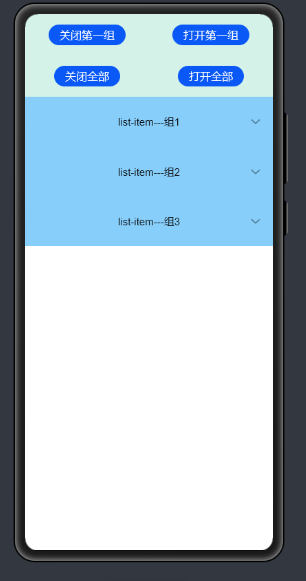
点击“打开第一组”
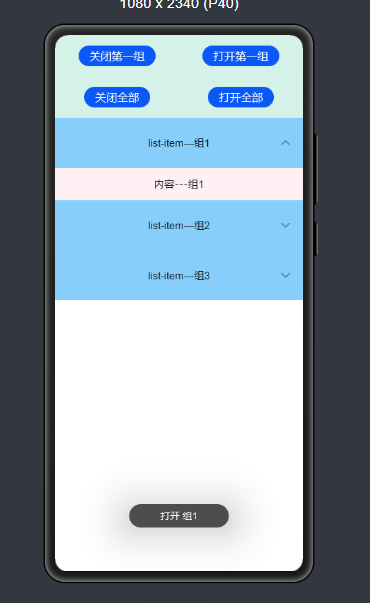
点击“打开全部”
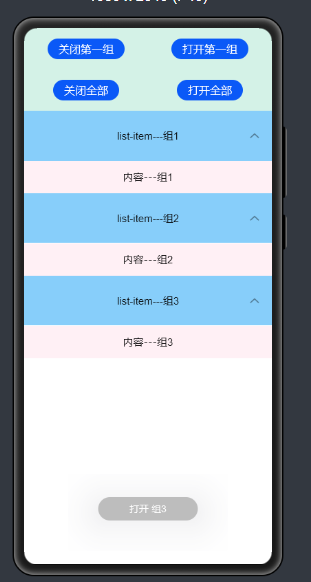
点击“关闭全部”
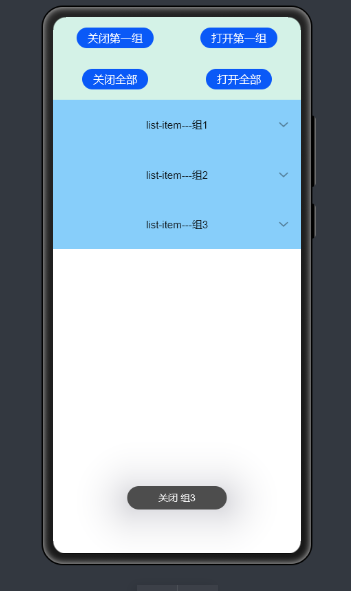
Hml文件中
<div class="doc-page">
    <list style="width: 100%;" id="mylist">
        <list-item class="top-list-item" clickeffect="false">
            <div class="item-div">
                <div class="item-child">
                    <button type="capsule" value="关闭第一组" onclick="collapseOne"></button>
                    <button type="capsule" value="打开第一组" onclick="expandOne"></button>
                </div>
                <div class="item-child">
                    <button type="capsule" value="关闭全部" onclick="collapseAll"></button>
                    <button type="capsule" value="打开全部" onclick="expandAll"></button>
                </div>
            </div>
        </list-item>
        <list-item-group for="listgroup in list" id="{{listgroup.value}}" ongroupcollapse="collapse" ongroupexpand="expand">
            <list-item type="item" style="background-color:#FFF0F5;height:95px;">
                <div class="item-group-child">
                    <text>内容---{{listgroup.value}}</text>
                </div>
            </list-item>
            <list-item type="item" style="background-color: #87CEFA;height:145px;" primary="true">
                <div class="item-group-child">
                    <text>list-item---{{listgroup.value}}</text>
                </div>
            </list-item>
        </list-item-group>
    </list>
</div>
完整代码地址:
https://gitee.com/jltfcloudcn/jump_to/tree/master/list-item-group
©本站发布的所有内容,包括但不限于文字、图片、音频、视频、图表、标志、标识、广告、商标、商号、域名、软件、程序等,除特别标明外,均来源于网络或用户投稿,版权归原作者或原出处所有。我们致力于保护原作者版权,若涉及版权问题,请及时联系我们进行处理。
分类
其它
标签
鸿蒙
相关推荐
鸿蒙实战项目案例_从零构建完整应用的完整复盘
 周正
周正 303
303 0
0鸿蒙生物识别开发:从指纹识别到3D人脸识别的完整指南
周正 425 0鸿蒙NFC开发实战:从读卡器模式到卡模拟的完整实现
周正 95 0鸿蒙加密存储开发:数据安全保护的完整方案
周正 164 0鸿蒙应用签名与上架完整流程:从开发到发布的实战指南
周正 449 0 Tiechui.Wang
我还没有写个人简介......
1091
帖子
0
提问
893
粉丝
最新发布
华为应用市场增长优化师火热认证中
2025-03-10 10:16:02 发布华为应用市场斩获Pocket Gamer2023年移动游戏奖,全球第三大移动应用生态获行业认可
2024-04-27 11:06:07 发布热门推荐