站在Vue的角度,对比鸿蒙开发中的数据渲染一
原创
 leson 2025-10-16 20:00:41 发布
11232 浏览 275 点赞 0 收藏
先看第一个类字符串 在开发中字符串操作是开发的核心任务之一
第一种 普通字符串
vue中 {{放数据}} 直接使用
<template>
<div>
    <h3>学习Vue</h3>
    <div>{{ txt }}</div>
</div>
</template>
<script lang="ts" setup>
import  {ref} from  "vue"
const  txt  = ref("你好")
</script>
Harmony中 用this点数据
@Entry
@Component
struct MyString {
  @State  txt:string = "你好"
  build() {
    Column() {
        Text(this.txt)
    }
    .height('100%')
    .width('100%')
  }
}
效果
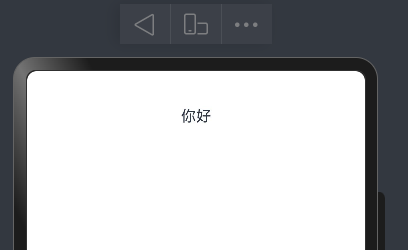
第二种 富文本字符串 (带有页面结构标签)
vue中v-html解析绑定
<template>

<div>
    <h3>学习Vue</h3>
    <div v-html="txt"></div>
</div>
</template>

<script lang="ts" setup>
import  {ref} from  "vue"
const  txt  = ref("<div>我们正在学Vue,<button>你好呀</button></div>")

</script>
效果 <button>你好呀</button>会被识别成按钮

Harmony中 需要专门的组件来做,没有指令这套 使用RichText
直接用效果如下
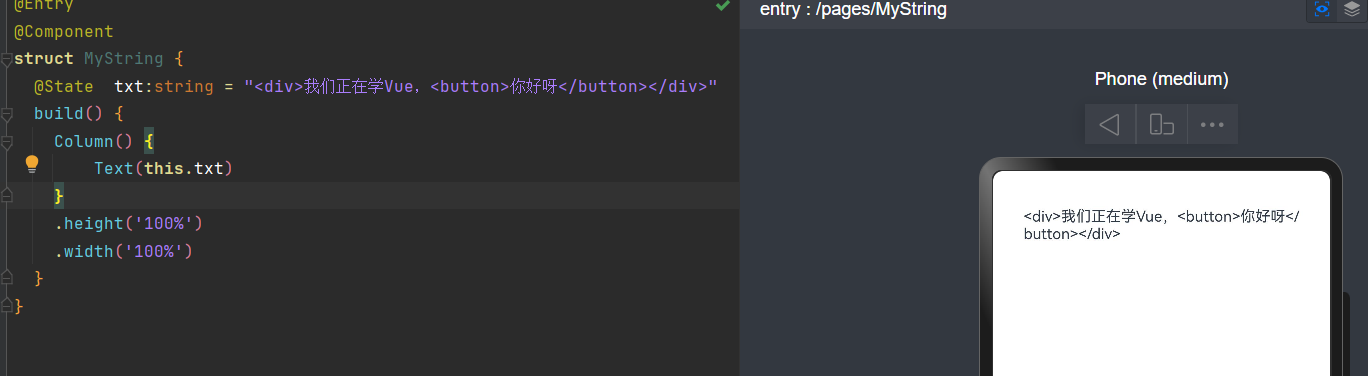
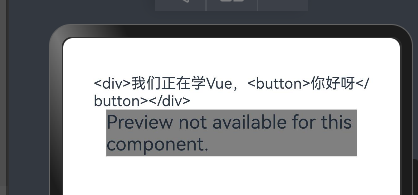
使用RichText组件以后 不能预览器 只能用模拟器或者真机,直接使用预览会提示
完整代码如下 注意样式也可以写在字符串中 高级 高级
@Entry
@Component
struct MyString {
  // 背景颜色,通过内容中添加style样式,内容添加背景颜色或者其他样式信息
  @State richBgContent: string = '<style> div{ font-size:50px}  button{ font-size:50px}</style>'

  @State  txt:string = "<div>我们正在学Vue,<button>你好呀</button></div>"
  build() {
    Column() {
        Text(this.txt)
         RichText(this.richBgContent+this.txt).height(50)
    }
    .height('100%')
    .width('100%')
  }
}
模拟器中的效果如下 也能解析html中的字符串 和样式 能把 <button>你好呀</button>修改按钮
第三种 字符串与表单元素交互
vue 双向绑定 v-model
<template>
<div>
    <h3>学习Vue</h3>
    <div>
        姓名  <input v-model="username"/>
    </div>
</div>

</template>

<script lang="ts" setup>
import  {ref} from  "vue"
const  username = ref("大雷神")
</script>
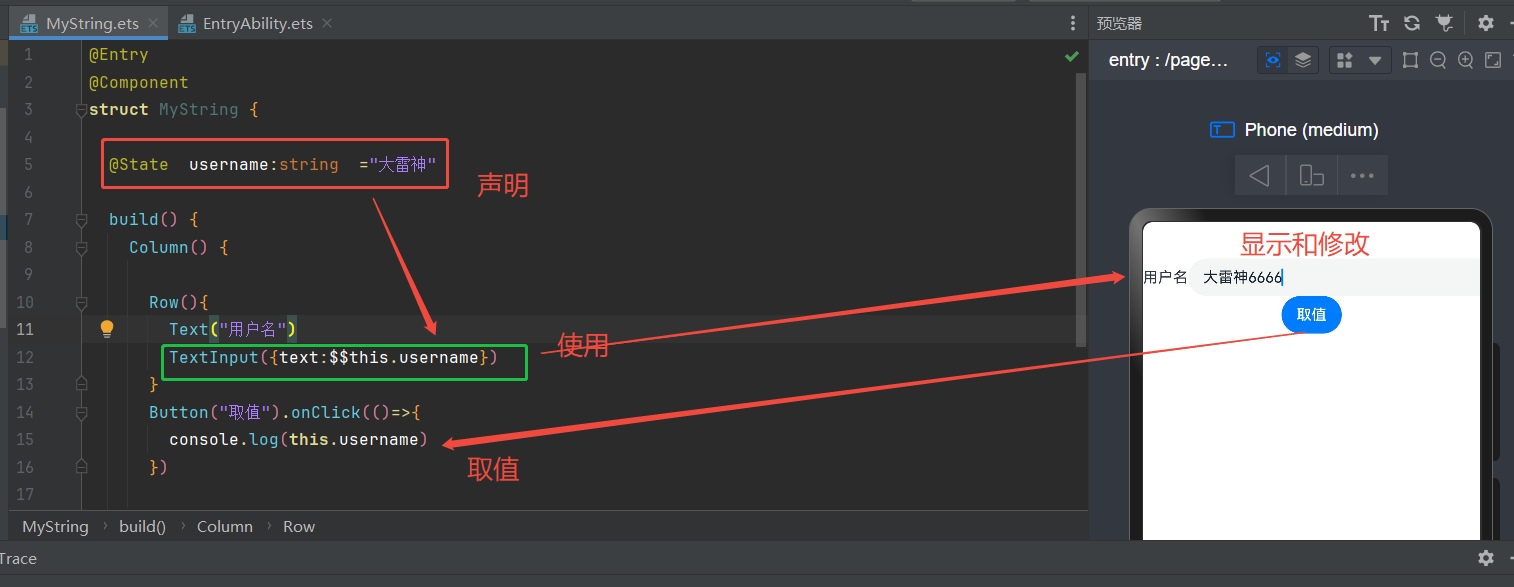
Harmony 中使用 $$表示双向绑定
@Entry
@Component
struct MyString {

  @State  username:string  ="大雷神"

  build() {
    Column() {

      Row(){
        Text("用户名")
        TextInput({text:$$this.username})
      }
      Button("取值").onClick(()=>{
        console.log(this.username)
      })

    }
    .height('100%')
    .width('100%')
  }
}
效果如下
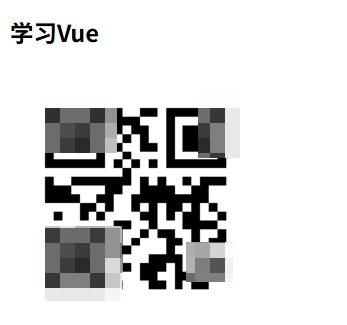
第四种 字符串转成二维码
Vue中没直接解决方案,需要使用第三方提供的插件
安装依赖:
npm install @chenfengyuan/vue-qrcode页面使用就可以了
<template>
<div>
    <h3>学习Vue</h3>
    <div>
         <vue-qrcode :value="username" :options="{ width: 200 }"></vue-qrcode>
    </div>
</div>

</template>

<script lang="ts" setup>
import VueQrcode from '@chenfengyuan/vue-qrcode'

import  {ref} from  "vue"
const  username = ref("大雷神")
</script>
效果 别问为什么打码,因为不打码审核通不过
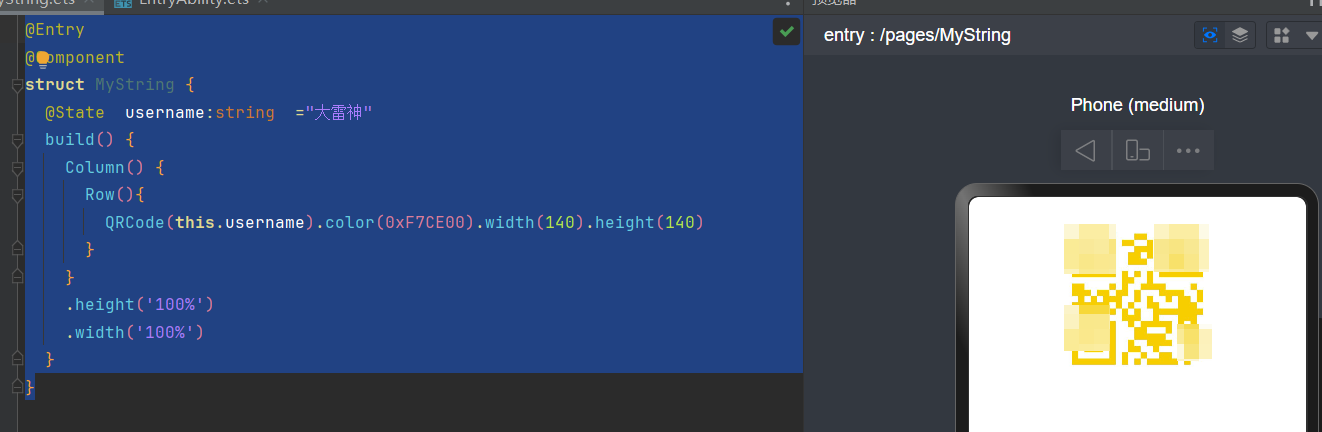
Harmony中自带的组件QRCode能解决二维码问题
@Entry
@Component
struct MyString {
  @State  username:string  ="大雷神"
  build() {
    Column() {
      Row(){
        QRCode(this.username).color(0xF7CE00).width(140).height(140)
      }
    }
    .height('100%')
    .width('100%')
  }
}
效果
总结
本文对比了Vue和Harmony在字符串操作上的实现方式,主要涵盖四种场景:1)普通字符串的静态展示;2)富文本字符串的解析渲染(Vue使用v-html指令,Harmony使用RichText组件);3)表单字符串的双向绑定(Vue用v-model,Harmony用$$语法);4)字符串转二维码(Vue需第三方插件,Harmony内置QRCode组件)。文章通过具体代码示例展示了两种框架在字符串处理上的差异,特别指出Harmony的RichText组件需要真机调试,而Vue的富文本解析更便捷。
©本站发布的所有内容,包括但不限于文字、图片、音频、视频、图表、标志、标识、广告、商标、商号、域名、软件、程序等,除特别标明外,均来源于网络或用户投稿,版权归原作者或原出处所有。我们致力于保护原作者版权,若涉及版权问题,请及时联系我们进行处理。
分类
HarmonyOS
标签
Harmony Vue
暂无评论数据
加载中...
发布
相关推荐
鸿蒙PC突破金融核心场景:四大金融IT服务商完成自研PC框架适配
 智慧的键盘侠
 75
75 0
0鸿蒙系统为何越用越流畅:解析底层架构与方舟引擎
 永不编译通过 210 0
原生鸿蒙装机破 7400 万,日增 20 万,国产系统全面爆发
恒久 145 0小红书、铁路12306、美团等打造全新体验,各种场景一窗搞定
 Legent 108 0
华为官宣奕境 X9 全系搭载鸿蒙座舱 HarmonySpace 6
 码农小马 205 0
 leson
华为HDE,华为伙伴HDE,鸿蒙生态学堂服务学堂认证讲师。14年互联网软件开发经验,资深全栈软件开发工程师,精通HarmonyOS、C#、GoLang 前端等技术栈。曾参与浦发银行、汇丰银行、中国银行强基金系统研发工作,现主要负责湖北高校HarmonyOS实训教学和鸿蒙APP研发工作
59
帖子
0
提问
2348
粉丝
最新发布
HarmonyOS APP<<古今职鉴定>>开源教程第30篇:应用打包与华为应用市场上架
2026-07-08 17:58:49 发布HarmonyOS APP<<古今职鉴定>>开源教程第29篇:【完整案例】桌面卡片完整开发
2026-07-08 15:57:53 发布热门推荐
 京公网安备:11010502051901号